Game Downloader: Updated, Brings New Features, Now Playing Games Is More Fun [Windows]

Playing games is always a great way to relax yourself and have fun. Now, you can increase the level of fun and further enjoy playing 100′s of new free games without the trouble of searching for them. Game Downloader for Windows is a small open source portable game download client that lets you download open source, indie or freeware games.

Game Downloader Intro

Game Downloader basically has a large server-side library of free games. You can use the Windows client program to browse and download free games easily. It makes your life easy by letting you download games without even visiting the official website. The program also helps you discover new interesting games.

The program categorizes games into different categories like action, adventure, RPG, turn based strategy to name a few. When you select a particular category, the program lists many free and open-source games for download. [Read more...]

The Restart Page: Experience Vintage Operating System Reboot Process

Ever wondered how the old vintage operating systems shutdown and restart sequence looked like? Well, it may not be possible to get your hands on the real systems now. It may also not be possible to install them just to experience it.

Here’s a cool website called The Restart Page. As the name goes, the website displays restart sequences of vintage operating systems like Workspace, NeXT, Rhapsody, Windows 1.1, Windows 95, Windows 2000, Windows XP, Apple Mac OS, and more. [Read more...]

Windows Vista Mainstream Support Ends, Two Years Left Of Windows XP, Office 2003 Support

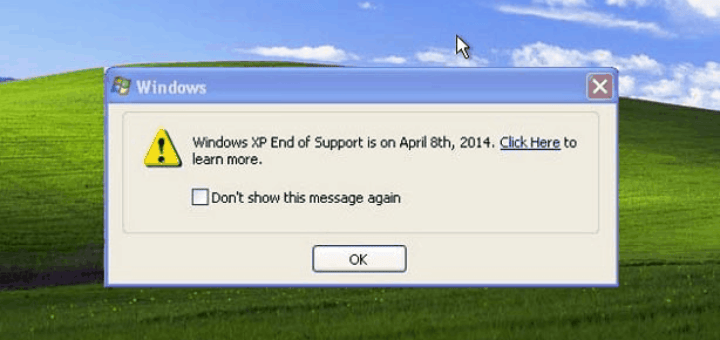
Microsoft on April 10, 2012 ends Mainstream support for Windows Vista as well as Office 2007. Extended support for both Windows XP and Office 2003 ends in two years on April 8, 2014.

According to Microsoft Support Lifecycle policy, Microsoft will offer a minimum of 10 year support for Business, Developer and Desktop Operating System products. The Redmond software giant further divides this 10 years of support in two stages: “Mainstream Support” and “Extended Support.” [Read more...]

RefreshPC: Reset Windows Registry And Services To Defaults

Microsoft’s upcoming operating system Windows 8 is coming with a unique feature called “System Reset“. System Reset will let users restore Windows 8 to factory defaults. This feature will save a lot of time for system administrators and users alike, and will save you from having to reinstall Windows.

RefreshPC is a free program developed for Windows that offers similar system reset option to current Microsoft Windows operating systems. Though this freeware application will not restore the operating system like Windows 8′s “System Reset” feature, but it will restore only a few sections of the operating system. [Read more...]

BDlot DVD Clone Ultimate [Unlimited Giveaway for Everyone]

My Technology Guide readers will love this giveaway as they have to do nothing to win this! Thanks to LotSoft, the developers of the application, we were able to get unlimited licenses for the BDlot DVD Clone Ultimate. The application is a DVD clone software which can also backup and rip DVD’s. We will talk about the giveaway at the end of this article, but first, lets see how good is BDlot DVD Clone Ultimate.

Now, coming to the user interface, when you start the application, you will notice big buttons to do a full DVD disc backup or a DVD title backup at the top. When you click on those buttons, the program automatically changes the options that are available for the task. After inserting a DVD, it fills up information about the DVD, including cover art, name, studio, director and performers automatically. [Read more...]

Microsoft Standalone System Sweeper

Microsoft through Connect has released a beta version of Microsoft Standalone System Sweeper. It is basically a system recovery software disguised as a recovery CD or USB application that Windows users can use to remove malware from a system. It can start an infected PC and performing offline scan to help find and remove rootkits and other advanced malware.

Update: Microsoft Standalone System Sweeper is now Windows Defender Offline

The security application can effectively remove viruses, trojans, rootkits and other forms of malware. In addition, the security application can be used if you cannot install or start an antivirus solution on your PC, or if the installed solution can’t detect or remove malware on your PC.

System Sweeper is available as a free download for both Windows 32-bit or 64-bit version users. Users will need an active Internet connection and CD or DVD to burn all contents, or a USB stick with at least 250 MB of space. [Read more...]

Comodo Internet Security Pro 2011 with 1 Year License (Direct Download Links) [Giveaway, Promotion Expired]

Comodo Internet Security is a free, multi-layered computer security suite that keeps malware and hackers at bay while protecting your computer and private information. Comodo guarantees protection against viruses and malware by focusing on prevention not simply detection.

Comodo Internet Security Pro 2011 offers real-time protection against Viruses, Trojans, Adware, Spyware and other Malware threats. Other Antivirus products depend on signature updates alone but Auto Sandbox Technology means you’re protected from even unknown threats. [Read more...]

How To Delete a Windows Service in Windows 7, Vista or XP [Tutorials]

Ever faced a situation where after uninstalling a software, you find that it has left behind its service or driver references in the registry, and when Windows tries to load them at every boot, it fails displaying an error? This mostly happens with the security programs (though other applications also causes trouble) that fails to remove its installed services or drivers. Even though we posted an ultimate list of antivirus removal tools, but it is not enough.

We need something which will solve the problem in general for almost every Windows applications that causes trouble. In this article, we will show “how to easily remove an orphaned or unwanted service or driver from your Windows system.”

Basically there are three methods to deal with the problem. You can either use Windows in-built sc.exe command, or use the Registry Editor, or using Microsoft Sysinternals Autoruns for Windows utility.

Warning: Use this tutorial with caution, once you delete a service from Windows system, it’s gone, and it will be very difficult to install it back. [Read more...]