RefreshPC: Reset Windows Registry And Services To Defaults

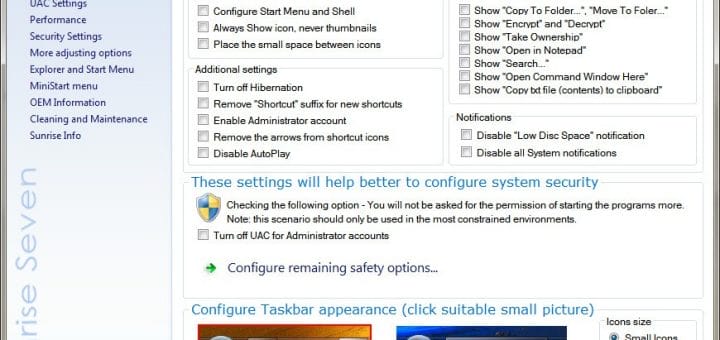
Microsoft’s upcoming operating system Windows 8 is coming with a unique feature called “System Reset“. System Reset will let users restore Windows 8 to factory defaults. This feature will save a lot of time for system administrators and users alike, and will save you from having to reinstall Windows.

RefreshPC is a free program developed for Windows that offers similar system reset option to current Microsoft Windows operating systems. Though this freeware application will not restore the operating system like Windows 8′s “System Reset” feature, but it will restore only a few sections of the operating system. [Read more...]

Windows 7 With Service Pack 1 Direct Download Links [Official DigitalRiver]

Microsoft released Windows 7 Service Pack 1 (SP1) in February 2011. Now, Microsoft has made available Windows 7 ISO images integrated with SP1.

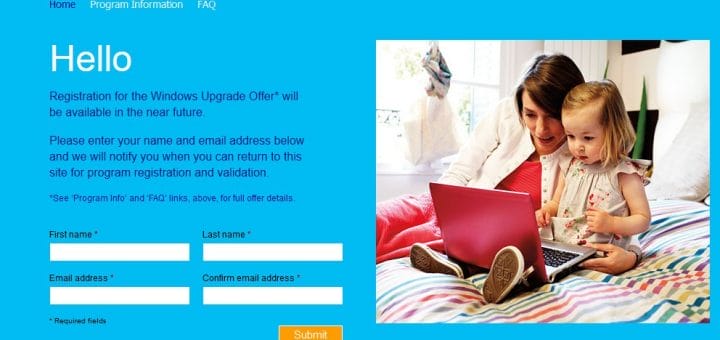
Earlier, we have provided official DigitalRiver direct download links of Windows 7. But, you had to download and run Service Pack 1 separately (or through Windows Updates) to update your Windows 7. If you want to slipstream SP1 into Windows 7 installation DVD, so that when you reinstall Windows 7, you don’t need to again download SP1 separately, you can now stop searching. You can now download Official Windows 7 SP1 integrated ISO images directly from Digital River Servers, who are the official partners of Microsoft for distributing Windows 7.

Downloading the files from Digital River is absolutely legal and free as Microsoft uses them as an official download channel. However, without obtaining a legally obtained product key, you will be able to run Windows 7 installation for 30 days. After 30 days, Windows 7 needs to be activated, or the evaluation grace period be reset. If you already own a key, you can activate the ISO you will download from Digital River. [Read more...]

Win a Windows 7 Ultimate License and Be Genuine [Exclusive Giveaway Expired]

Two years back on June 14th, 2009, we posted our very first welcome message here. We officially started our journey as a technology website, with our commitment to bring the most benefits for our readers, subscribers, fans, followers, sponsors and everyone involved on July 1st, 2009.

Since, then almost two years have passed and we have enjoyed every single moment of being with you all. As we are getting ready to start another new term of My Technology Guide, we bring to you the most anticipated giveaway of all times in the history of My Technology Guide. And on this auspicious time, what more can we think of giving away except a genuine license of Windows 7 Ultimate to one of our most valued and loyal reader.

With WinSpark Networks collaboration, we bring to you all, Windows 7 Ultimate License and Be Genuine Giveaway. Through this giveaway, you can win yourself a genuine license of Windows 7 Ultimate edition. [Read more...]

Microsoft Standalone System Sweeper

Microsoft through Connect has released a beta version of Microsoft Standalone System Sweeper. It is basically a system recovery software disguised as a recovery CD or USB application that Windows users can use to remove malware from a system. It can start an infected PC and performing offline scan to help find and remove rootkits and other advanced malware.

Update: Microsoft Standalone System Sweeper is now Windows Defender Offline

The security application can effectively remove viruses, trojans, rootkits and other forms of malware. In addition, the security application can be used if you cannot install or start an antivirus solution on your PC, or if the installed solution can’t detect or remove malware on your PC.

System Sweeper is available as a free download for both Windows 32-bit or 64-bit version users. Users will need an active Internet connection and CD or DVD to burn all contents, or a USB stick with at least 250 MB of space. [Read more...]

Comodo Internet Security Pro 2011 with 1 Year License (Direct Download Links) [Giveaway, Promotion Expired]

Comodo Internet Security is a free, multi-layered computer security suite that keeps malware and hackers at bay while protecting your computer and private information. Comodo guarantees protection against viruses and malware by focusing on prevention not simply detection.

Comodo Internet Security Pro 2011 offers real-time protection against Viruses, Trojans, Adware, Spyware and other Malware threats. Other Antivirus products depend on signature updates alone but Auto Sandbox Technology means you’re protected from even unknown threats. [Read more...]

Windows 8: Modern Reader, Aero Auto-Colorization, Get it on Windows 7

Rafael Rivera and Paul Thurrott has discovered a new feature in Windows 8Aero Auto-Colorization. Microsoft Windows 7 users must have seen the new Personalization interface, which allows users to customize their desktops as they wished to. In Windows 8, the software giant has gone a few steps further by letting users customize the Aero elements to the fullest. Rafael and Paul found out that Windows 8 has a new ability to automatically configure the color of Aero elements, like the Start Menu, Windows Explorer windows, and the taskbar based on the desktop wallpaper which is set.

What this means is that whenever the desktop wallpaper changes, the Aero elements change their color to match it. This is a great feature as users will now see different colors as soon as the desktop wallpaper changes thus removing the monotonic look of only one color for the Aero elements all the time. [Read more...]

Get Windows 8 Taskbar User Picture Tile In Windows 7 [How To]

In our earlier articles related to Windows 8, we have posted a number of leaked screenshots. In one of those earliest Windows 8 images, we saw Windows Live integration on the taskbar. In the far right corner, there’s a user tile displayed. Now, if you’d like to enjoy the same feature on Windows 7, simply download Taskbar User Tile from DeviantArt user AngelWZR.

Once you have installed Taskbar User Tile, your current picture will appear on the taskbar. Click on your profile picture, and a menu appears which allows you to log off, switch users, and access the control panel. [Read more...]

BleachBit: Cross-Platform Utility To Clean Up Linux, Windows System

BleachBit is an open source cross-platform system clean-up and privacy application for Windows and Linux operating system. Windows users do have the option of CCleaner, which recently got updated to support Internet Explorer 9 and Firefox 4. But what about Linux users who need to clean their Linux machine? Well, that’s where BleachBit comes in to fill the void. And the good thing about it is, it’s also available for Windows users alike.

BleachBit has added several new features to its latest version that make it an even better utility for removing unneeded/unnecessary files from your computer. On Linux systems, BleachBit can now remove swap files (in addition to swap devices). The Windows version has added the option to remove Windows Update uninstaller including hot fixes and Internet Explorer patches. It’s well worth checking out the full list of features. [Read more...]