AV Uninstall Tools Pack: Completely Uninstall Any Windows Security Suite

While in the quest to find the best Windows security program, we install trial and free version of different security suites. Ranging from Anti-virus programs, anti-spyware to full-fledged total security suites (basically called Internet Security Suites by different vendors) gets installed. We always use the program’s inbuilt uninstaller to uninstall the security program. But in the long run Windows takes the blow when the suites left behinds drivers, registry entries and other unwanted stuffs. The operating system becomes slow and starts showing different kinds of errors.

One solution to this problem is to completely uninstall the security suite using the special uninstall tool developed by the vendor of the security suite. Earlier we’ve posted an article titled “Ultimate Collection of Popular Antivirus/ Security Suite Removal Tools” covering almost all the special uninstall tools of popular antivirus and security suites. We’ve also covered article’s on How To Completely Remove Kaspersky Anti-Virus/Internet Security and How To Completely Remove AVG Antivirus. You can follow those articles for removing all the left-over files, left by the antivirus and security suites.

Just like SSDownloader which basically lets you download different security programs and Windows utilities, AV Uninstall Tools Pack is a freeware collection of the special uninstallers. The package comes bundled with around 40 different official tools to completely remove antivirus software, anti-spyware programs and firewalls. These utilities completely remove all files, drivers, services and registry entries that are left behind by the inbuilt antivirus programs uninstallers. [Read more...]

TuneUp Utilities 2012 Review

TuneUp Utilities 2012 is the latest version of one of the most popular Windows system optimization and tweaking program. Every year it is getting perfected with new unique features added to the program. TuneUp Utilities 2012 features all the functions that were present in the earlier version, viz, TuneUp Utilities 2011 (which we have reviewed earlier). Along with all those features, two notable features added to the latest version are TuneUp Economy Mode and TuneUp Program Deactivator.

TuneUp Economy Mode will extend the battery life of notebook, netbook and tablet computers by shutting off processes and hardware components that aren’t required or in use. TuneUp Economy Mode is the new introduced feature of 2012 while TuneUp Program Deactivator, introduced in 2011 version, has gone through major overhauling in 2012 edition. Both TuneUp Economy Mode and TuneUp Program Deactivator, when used in combination can boost the energy efficiency of Windows 7 systems by up to 30 percent, when compared with the Windows 7 built-in energy savings mode.

With today’s increasing computing power, multi-core processors and gigabytes of RAM, many users will argue if they need a system optimization program? But, many users will agree with us that even with so much of computation power in hand, Windows tends to become sluggish after usage. Microsoft promises to change this scenario with its upcoming Windows 8 operating system but until than we are left with trusted system optimization utilities like TuneUp Utilities.

Since we have already reviewed TuneUp Utilities 2011 and most of the tools, although improved, have remained same in TuneUp Utilities 2012, in this review we will concentrate only on the most notable two features (discussed above). You can go through the thorough review of TuneUp Utilities 2011 here to know in-depth about what it offers.

At the end of this review (after break), you will find a giveaway contest, through which you can win a free license of TuneUp Utilities 2012 worth $49.95. 5 licenses are up for the giveaway, so the total licenses worth approx $250 (exactly $249.75). More on that later. :) [Read more...]

Backup and Restore Different Browser Settings Easily with FavBackup

FavBackup is a freeware portable software for Windows users that lets you save and migrate almost any major web browser settings. It archives all your personal settings and data such as bookmarks, history, cookies, and saved passwords from all major web browsers: Google Chrome, Firefox, Opera, Internet Explorer, Safari and Flock.

In this digital age, one just can’t afford to lose their personal settings and data. As the number of web browser choices have increased, most of us like to use multiple web browsers for surfing the Internet. Keeping a backup of all the data, spread over all these different browsers is difficult, thanks to FavBackup it is less of a hassle now. FavBackup offers an easy and comprehensive way to back up all the data and even lets you migrate easily to a browser on a different computer.

FavBackup is completely portable application and requires no installation. The program has an intuitive Ribbon user interface, so getting started with it is easy and quick. After downloading the program, extract the FavBackup executable file in your choice of folder, run the executable. [Read more...]

Microsoft Joulemeter: Helps Estimate Power Consumption of Your Computer

Joulemeter is a freeware software tool developed by Microsoft Research that estimates the power consumption of your computer and improves energy efficiency. It tracks computer resources, such as CPU utilization and screen brightness, and estimates power usage.

Joulemeter provides a modeling tool to measure the energy usage of virtual machines (VM), servers, desktops, laptops, and even individual software applications running on a computer. The application helps improve power provisioning costs for data centers, virtualized power budgeting, desktop energy optimizations, and mobile battery management. [Read more...]

WebSiteSniffer: Capture All Files Downloaded By Your Web Browser

WebSiteSniffer is a freeware portable packet sniffer tool developed by NirSoft. The application captures all files downloaded by your web browser while you browse the Internet. After capturing the files, it stores them on your hard drive under the folder “Website Files” in the folder where the program resides.

WebSiteSniffer allows you to filter the files types which are captured and saved. It offers the following choices: HTML Files, Text Files, XML Files, CSS Files, Video/Audio Files, Images, Scripts, and Flash (.swf) files. By default all supported file types are selected but you can customize it from Options dialog box. While the packet sniffer is capturing the website files, the main window displays general statistics about the downloaded files for every website or host name. The statistic includes the total size of all files (compressed and uncompressed) and the total number of files for every file type (HTML, Text, Images, etc). [Read more...]

Windows Firewall Notifier: Easily Configure Windows Firewall Rules

Windows operating system comes with a built-in firewall to protect the system. Windows Firewall like all other software firewalls available out there, protects your Windows system from unauthorized access while allowing legit network to pass through. Unfortunately, configuring the firewall settings is a daunting task for most users.

For all users who are looking for the ease of use in configuring Windows Firewall should check out Windows Firewall Notifier.

Windows Firewall Notifier is a freeware portable application for managing Windows Firewall rules in Windows 7 and Vista. Using this small portable application, configuring both inbound and outbound firewall rules is very easy. [Read more...]

EASEUS Partition Master Professional Review Plus 10 License Giveaway [Expired]

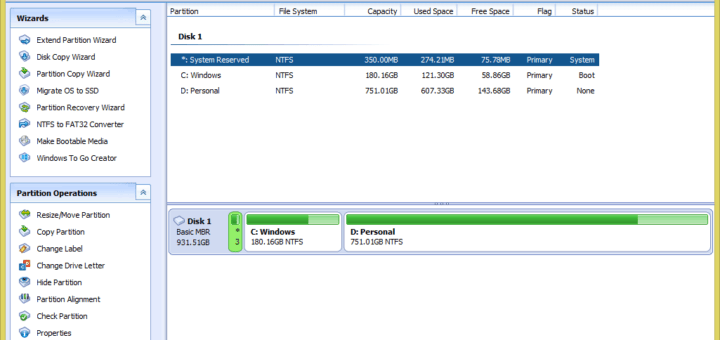
EASEUS Partition Master is a comprehensive Windows application for easily managing hard disk partitions. Its convenient user-interface simplifies your tasks by offering many functions to manage your partitions. The Professional Edition can let you enjoy all the powerful basic and advanced partition functions.

Windows default partition manager is very basic and doesn’t offer advanced partition options. EaseUS Partition Master with Partition Recovery Wizard integrated is a comprehensive toolkit for computer users. It covers a full range of features including Partition Manager, Partition Recovery Wizard and disk & partition copy and more.

EaseUS Partition Master also allows users to create bootable disk. Using this bootable disk, you can manage hard disk partitions when the Operating System crashes. You can also resize the primary drive to reinstall other Operating Systems or even manage partitions on a computer without Operating System. [Read more...]

SSDownloader: Directly Download Any Security Software For Windows

Security Software Downloader in-short SSDownloader is a Windows application which helps Windows users to directly download any security software. The application is very handy when you have reformatted Windows or have brought a new PC. It provides direct download links to various free/trial security suites. Using the user interface of the application, you can download your favorite security software directly from the official makers of the suite.

Security Software Downloader 2, the latest version released by its developers features a completely revamped user interface. SSDownloader 2 is an Open Source software hosted at SourceForge.net.

Using this program you can easily download various security software like Microsoft Security Essentials, AVG Antivirus, Avast! Antivirus, Malwarebytes’ Anti-Malware and many more. The program also provides download links to many popular trialware like Kaspersky Internet Security, Norton Internet Security. You can also download various Windows utilities like CCleaner, AutoRuns, AppRemover and more. In total the program offers around 50 download links to useful software. [Read more...]