Oracle VirtualBox 4.0 is recently released and is a major upgrade. The new user interface is now known as “VirtualBox Manager.” It has made management of virtual operating systems a lot more easier. VirtualBox is a free virtualization software released under GNU General Public License (GPL) for personal use and is available for Windows, Mac and Linux host systems. The user interface is easier to get around, you can now easily move or wipe away virtual machines. Display and hardware compatibility improved in this new version, and you can now even add new capabilities using the new “extensions.”
There aren’t many Extensions now, but third-party developers may soon add some nice capabilities to this free virtual machine manager. Oracle offers one extension, namely, USB management, that will likely allow users of the open source version (usually distributed by Linux desktops) to get that previously unavailable ability. [Read more...]
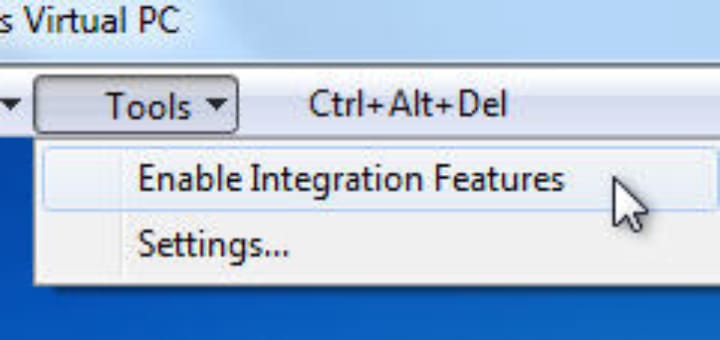
One notable feature of Windows 7 is the Windows XP Mode and Microsoft provides this for free. XP Mode lets users run Windows XP virtually inside Windows 7. However the catch is, to run Windows XP Mode you must have Windows 7 Professional, Enterprise or Ultimate version installed and your computer must have hardwareâ€assisted virtualization support.
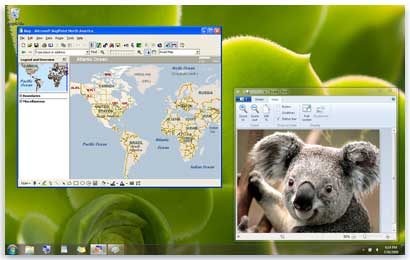
Windows XP Mode is freely available for Windows 7 Professional, Ultimate and Enterprise users. It allows you to run legacy applications inside a Windows XP virtual machine running in the background. Windows XP Mode was primarily designed to help businesses move from Windows XP to Windows 7. Almost all programs that are compatible with Windows Vista and a majority of Windows XP programs, run well in Windows 7. But, if a program doesn’t run properly even after trying the Program Compatibility troubleshooter, you can run the program in Windows XP Mode.
Microsoft has released a pre-built, pre-configured Windows 7 VHD (Virtual Hard Disk) for Hyper-V Server which allows user to instantly mount and run the virtual machine. The VHD is of Windows 7 Enterprise version and is for a user to test it free of cost for 90 days. Windows 7 Enterprise edition is almost equal to Windows 7 Ultimate edition except that it’s targeted at corporate and business users, and requires activation via KMS or MAK, both available through volume licensing distribution channels.
Recent Comments