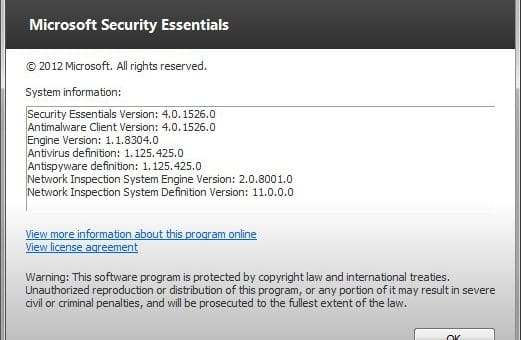
Find Out What’s New in Microsoft Security Essentials 2

Yesterday, we posted here about the availability and release of Microsoft Security Essentials 2 free antivirus for Windows. We did mentioned in our article that it is one of the most popular antivirus solution. It is without doubt also one of the most effective free antivirus application with detection rate matching those of the commercial paid products.

Almost five months ago, Microsoft released the beta version of MSE 2.0. A lot of improvements can be seen in the application. So, we thought that we should write a dedicated article highlighting all the improvements and the new features available in MSE 2.0. [Read more...]

Microsoft Security Essentials 2 Available for Download

Microsoft Security Essentials is one of the best free antivirus available for Windows. It is without doubt the most popular antivirus solution among Windows users. With detection rate that matches the commercial security products, it is without doubt one of the best software made by Microsoft.

Microsoft Security Essentials 2 upgrade brings in many improvements and new features, including the most requested heuristic scanning engine. MSE 1′s protection relied too heavily upon definitions, which is not enough for today’s ever-changing advanced threats. But with heuristic scanning engine and other new improved features, MSE 2 is now giving tough competition to other free and paid products. [Read more...]

Update Microsoft Security Essentials Using Command Line Without Windows Automatic Update

Microsoft Security Essentials (MSE) is an excellent free antivirus and anti-spyware. Previously, we showed how to manually update Microsoft Security Essentials or MSE if you are unable to update it using Windows Automatic Update. There is another way other than manually updating MSE definition files or using the Windows Automatic Update. You can update MSE definition files using the command line. This method is useful if you have disabled Windows Automatic Update and you are unable to update MSE online. Using the command line method updates the definition files and doesn’t need Windows Automatic Update enabled. [Read more...]

How to manually download the latest definition updates for Microsoft Security Essentials

msscIf you ever meet problem while trying to download definition updates for Microsoft Security Essentials (or MSE), or if you are not having any internet connection, you can download and install the latest MSE definition updates.

If you want to know “How to manually download definition updates for Malwarebytes Anti-Malware“, please read here.

To get the definition updates, you need to first know about your Windows’s architecture, whether its 32-bit or 64-bit. To know, Click on Start, then type msinfo32 in Start Search and press Enter. Locate your architecture type next to the System Type line. If you see x86 then you have a 32-bit PC, if you see x64, then you have a 64-bit PC. [Read more...]

Alert: Download Microsoft Security Essentials only from Trusted Sources

Microsoft recently released its free anti-virus, Microsoft Security Essentials (or MSE). It is the replacement of Windows Live OneCare, which was not free. Microsoft recommends not to install MSE with any other security suites. When you install MSE it automatically disables Windows Defender. This is sensible since it is actually a superset of Windows Defender.

ms-security-essentials

[Read more...]