
Tag Archives: hav

How To Install & Use Windows XP Mode in Windows 7

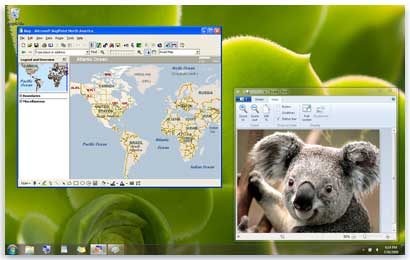
xpmodeWindows XP Mode is freely available for Windows 7 Professional, Ultimate and Enterprise users. It allows you to run legacy applications inside a Windows XP virtual machine running in the background. Windows XP Mode was primarily designed to help businesses move from Windows XP to Windows 7. Almost all programs that are compatible with Windows Vista and a majority of Windows XP programs, run well in Windows 7. But, if a program doesn’t run properly even after trying the Program Compatibility troubleshooter, you can run the program in Windows XP Mode.

Windows XP Mode runs in a separate window on the Windows 7 desktop, much like a program, except it's a fully functional version of Windows XP. When you install a program in Windows XP Mode, the program appears in both the Windows XP Mode list of programs and in the Windows 7 list of programs, so you can open the program directly from Windows 7. Do note that it isn’t optimized for graphic-intensive programs such as 3D games or for programs with hardware requirements such as TV tuners.

Continue Reading

How To Detect if your PC can Run Windows XP Mode in Windows 7

Windows 7 users may have already heard about the Windows XP Mode in Windows 7. For late comers, it basically allows Windows 7 users (supported versions are Windows 7 Professional, Windows 7 Enterprise and Windows 7 Ultimate) to run Windows XP in a virtual environment. Windows XP Mode is freely available for Windows 7 users.

Running an application using Windows XP Mode under Windows Virtual PC can be beneficial if the application is not compatible with Windows 7. Those users who wants to run Windows XP Mode can download the required software to launch applications in the virtual environment with just one click in Windows 7.

Continue Reading
Page 1 of 11

Switch to our mobile site

Site Meter
