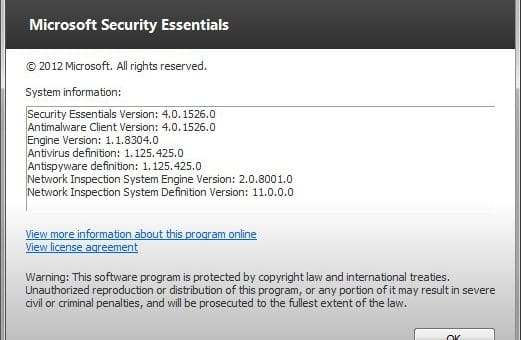
Find Out What’s New in Microsoft Security Essentials 2

Yesterday, we posted here about the availability and release of Microsoft Security Essentials 2 free antivirus for Windows. We did mentioned in our article that it is one of the most popular antivirus solution. It is without doubt also one of the most effective free antivirus application with detection rate matching those of the commercial paid products.

Almost five months ago, Microsoft released the beta version of MSE 2.0. A lot of improvements can be seen in the application. So, we thought that we should write a dedicated article highlighting all the improvements and the new features available in MSE 2.0. [Read more...]

Microsoft Security Essentials 2 Available for Download

Microsoft Security Essentials is one of the best free antivirus available for Windows. It is without doubt the most popular antivirus solution among Windows users. With detection rate that matches the commercial security products, it is without doubt one of the best software made by Microsoft.

Microsoft Security Essentials 2 upgrade brings in many improvements and new features, including the most requested heuristic scanning engine. MSE 1′s protection relied too heavily upon definitions, which is not enough for today’s ever-changing advanced threats. But with heuristic scanning engine and other new improved features, MSE 2 is now giving tough competition to other free and paid products. [Read more...]

Update Microsoft Security Essentials Using Command Line Without Windows Automatic Update

Microsoft Security Essentials (MSE) is an excellent free antivirus and anti-spyware. Previously, we showed how to manually update Microsoft Security Essentials or MSE if you are unable to update it using Windows Automatic Update. There is another way other than manually updating MSE definition files or using the Windows Automatic Update. You can update MSE definition files using the command line. This method is useful if you have disabled Windows Automatic Update and you are unable to update MSE online. Using the command line method updates the definition files and doesn’t need Windows Automatic Update enabled. [Read more...]

Out-of-band Windows Security Patch to Address Windows Shell Vulnerability

Microsoft has announced plans to release an out-of-band update on Monday, August 2, 2010 at or around 10 AM PDT, to address CVE-2010-2568 (described in Microsoft Knowledge Base Article (2286198) as Vulnerability in Windows Shell could allow remote code execution).

The Microsoft Malware Protection Center (MMPC), along with other Microsoft Active Protection Program partners, have kept a close watch on the use of .LNK files exploiting this vulnerability. They have noticed an increase in attacks in the Windows operating systems, exploiting the vulnerability in LNK files. Due to this increase in the attacks, Microsoft is going to release the out-of-bound patch to protect PCs running Windows operating system from those attacks. [Read more...]

Microsoft Security Essentials 2.0 Beta (Limited Beta Available)

Microsoft today released a new, limited beta for their increasingly popular security application, Microsoft Security Essentials, the next big version of the well acclaimed Windows security software. Microsoft Security Essentials was first released in September 2009 and is Microsoft’s award-winning, no-cost, freeware, light weight security application. It’s designed to give security to computers running genuine Windows editions.

[Read more...]

Microsoft Releases Fix It Tool for Blue Screen Rootkit Detection

Microsoft security updates of last month have caused some controversy over a patch that was first thought to cause blue screen (BSOD) on some computers. It was later found that the said patch was not responsible for the blue screens. A rootkit that altered some files of the operating system was found to be the main culprit behind the blue screen of death.

Microsoft then released two updates on the issue. The patch has been now redeveloped by Microsoft to block the update if any “abnormal” conditions exist. [Read more...]

Windows 7 Compatible Security Software List

win7_compat_smOnly a few hours is left for the Official launch of Windows 7. Windows 7 is a great improvement over earlier Windows. Still, it is highly recommended to install security software to help protect your computer from viruses and other security threats, and that you keep your security software up to date.

The security software listed below is compatible with Windows 7. Just click the company name to see the Windows 7-compatible product they offer. You may like to visit the Windows 7 Compatibility Center to see the complete list of software and hardware that are compatible with Windows 7. [Read more...]

How to manually download the latest definition updates for Microsoft Security Essentials

msscIf you ever meet problem while trying to download definition updates for Microsoft Security Essentials (or MSE), or if you are not having any internet connection, you can download and install the latest MSE definition updates.

If you want to know “How to manually download definition updates for Malwarebytes Anti-Malware“, please read here.

To get the definition updates, you need to first know about your Windows’s architecture, whether its 32-bit or 64-bit. To know, Click on Start, then type msinfo32 in Start Search and press Enter. Locate your architecture type next to the System Type line. If you see x86 then you have a 32-bit PC, if you see x64, then you have a 64-bit PC. [Read more...]