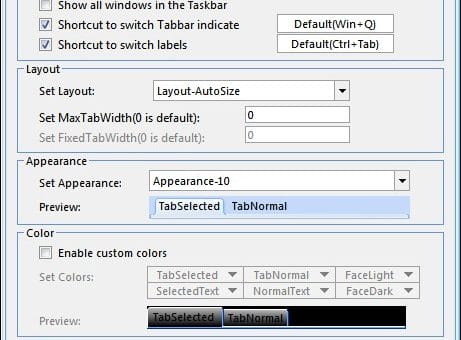
OfficeTab (Translated Page) is an add-on for Microsoft Office, it includes three components: WordTab, ExcelTab and PowerPointTab, which are as the name suggests is for Word, Excel and PowerPoint respectively, so you can save screen real estate and switch between documents, sheets or presentations more easily. The major function of this add-on is to add a tab-bar similar to that found in browsers today. It is compatible with both Office 2003 and Office 2007 on XP, Vista or Windows 7.
In a nut shell OfficeTab enables you to open multiple documents within one Office window without cramming up your taskbar. Although Windows 7 seems to have solve this problem. You can easily switch back and forth between the document or even view them side by side within one window.
Using Office Tabs, you can save a lot of space and also can easily switch back and forth between the document or even view them side by side within one window. You can open a new tab the same way you would in Mozilla Firefox, that is by simply double-clicking the area where the new tab would appear. This is developed by a Chinese developer so it supports both Chinese and English version of Office.
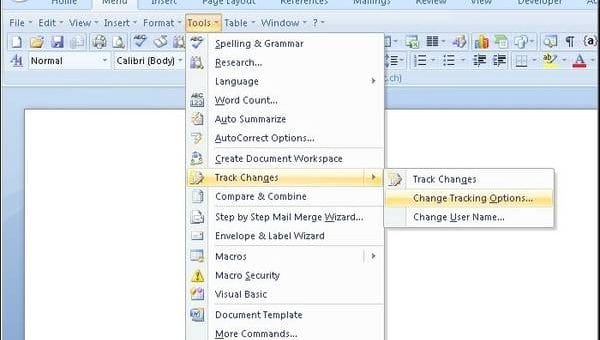
I love the ribbon interface of Office 2007 but one of the most frequent reaction that I’ve heard towards this ribbon interface is “Where is the menu bar gone?” or “Why they had to change the interface altogether?” and so on. I’ve also seen some revert back to Office 2003 due to this change in interface. If this describes you then you might find UBitMenu very useful. UbitMenu provides the interface of the old Office 2003 interface even when you are using Office 2007. UBitMenu does not hide the ribbon interface, but adds the classic menu as a new ribbon. Gradually you will realize that many functions are easier to handle using Office ribbons and you will slowly shift towards using the ribbon interface.
Recent Comments