Microsoft Office 2010 Beta downloads have been active for a few days for MSDN and TechNet subscribers. Now Microsoft Office 2010 Beta downloads are available for the public and are now available on the official Microsoft Office 2010 Beta website. To be able to download the beta of Microsoft Office 2010, users need to first log in using a Microsoft Live account and fill out a short form. Downloads are available for both 32-bit and 64-bit editions and for various languages. The product key for the beta will also be displayed on those pages. This key is required to activate the beta after installation. [Read more...]
Microsoft Security Bulletin Summary Update for November 2009
Microsoft has released six security bulletins today as a part of their monthly Patch Tuesday program. These six security bulletins fixes a total of 15 different security vulnerabilities found in Microsoft Windows and Microsoft Office. Of the six bulletins, three rated critical and three important patches for vulnerabilities. These vulnerabilities can allow remote code execution and denial of service attacks.
All the users of these products in which vulnerabilities discovered are encouraged to update their computer systems as soon as possible to protect the PCs from possible exploits. Users can download the patches via all the normal update channels including Automatic Updates, Windows Updates, Microsoft Updates or they can download them manually by following the links posted in the security bulletins. [Read more...]
Use OfficeTab and add Tabs to Microsoft Office Applications
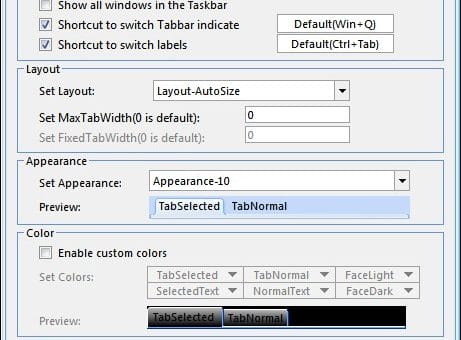
OfficeTab (Translated Page) is an add-on for Microsoft Office, it includes three components: WordTab, ExcelTab and PowerPointTab, which are as the name suggests is for Word, Excel and PowerPoint respectively, so you can save screen real estate and switch between documents, sheets or presentations more easily. The major function of this add-on is to add a tab-bar similar to that found in browsers today. It is compatible with both Office 2003 and Office 2007 on XP, Vista or Windows 7.
In a nut shell OfficeTab enables you to open multiple documents within one Office window without cramming up your taskbar. Although Windows 7 seems to have solve this problem. You can easily switch back and forth between the document or even view them side by side within one window.
Using Office Tabs, you can save a lot of space and also can easily switch back and forth between the document or even view them side by side within one window. You can open a new tab the same way you would in Mozilla Firefox, that is by simply double-clicking the area where the new tab would appear. This is developed by a Chinese developer so it supports both Chinese and English version of Office.
Recent Comments